KEY TAKEAWAYS
| What Matter actually is | A universal smart home protocol that lets devices from different brands work together seamlessly |
| Who created Matter | Apple, Google, Amazon, Samsung & 200+ companies through the Connectivity Standards Alliance |
| Why Matter exists | To eliminate smart home fragmentation and “works with X” confusion |
| How Matter works | Uses Wi-Fi, Thread, and Ethernet for local communication without cloud dependency |
| Matter vs. old protocols | Faster, more secure, more reliable than Zigbee/Z-Wave alone |
| Should you upgrade in 2026? | Yes—Matter is mature enough now, but strategic timing matters |
| Best Matter devices | Philips Hue, Eve, Aqara, Nanoleaf, Yale, and more |
Reading Time: 9 minutes
The Bottom Line Upfront
Short on time? Here’s what matters most for 2026:
- Matter is the universal translator for smart home devices
- It’s backed by EVERY major tech company — this isn’t going away
- Devices work locally — no cloud required, faster response
- 2026 is a great time to upgrade — ecosystem is finally mature
- Don’t replace everything at once — transition strategically
- Look for the Matter logo on all new purchases
Want the full story? Keep reading…
Introduction
Here’s the frustrating reality of smart homes:
You buy a smart light from Brand A. A thermostat from Brand B. A doorbell from Brand C. And suddenly you need three different apps, two separate hubs, and a computer science degree just to turn on your lights.
Sounds familiar?
This fragmentation has plagued smart homes for over a decade. But now, there’s finally a solution that actually works!
It’s called Matter.
And in this guide, we’ll break down exactly what Matter is, how it works, and most importantly—whether 2026 is the right time for you to upgrade.
No technical jargon. No confusing specs. Just clear, honest answers.
Let’s dive in.
Table of Contents
What Is Matter in Smart Homes?
The Simple Explanation:
Matter is a universal language that lets smart home devices from different brands communicate with each other seamlessly.
Think of it like USB for smart homes.
Before USB, every device had a different connector. Cameras, phones, printers—all different cables. Chaos.
Then USB came along and said: “Everyone use this one standard.”
Matter does the same thing for smart homes.
The Technical Explanation (Made Simple):
Matter is an open-source, royalty-free connectivity protocol developed by the Connectivity Standards Alliance (CSA).
What this means:
Industry-backed — 200+ companies committed to it
Open-source — Anyone can use it, no licensing fees
Royalty-free — Manufacturers don’t pay to include it
Who Created Matter in Smart Homes?
Here’s what makes Matter different from past “universal standards”:
The founding members include:
- Apple
- Amazon
- Samsung
- Comcast
- IKEA
- Huawei
- And 200+ more companies
When competitors like Apple, Google, and Amazon agree on something, you know it’s significant.
This isn’t a proprietary play by one company. It’s a genuine industry standard.
⚡Why Does Matter protocol exist ?
The Problem Matter Solves
Before Matter, smart home shopping looked like this:
“Does this light work with Alexa? What about Google Home? Will it connect to my SmartThings hub? Do I need a separate bridge? Which app do I use?”
The result:
- Frustrated consumers
- Expensive compatibility mistakes
- Limited device choices
- Ecosystem lock-in
The Matter Solution
With Matter, shopping becomes simple:
“Does it have the Matter logo? Yes? Then it works with everything.”
That’s it.
One logo. Universal compatibility. No confusion.
How Does Matter Actually Work with Smart Homes?
The Three Pillars of Matter
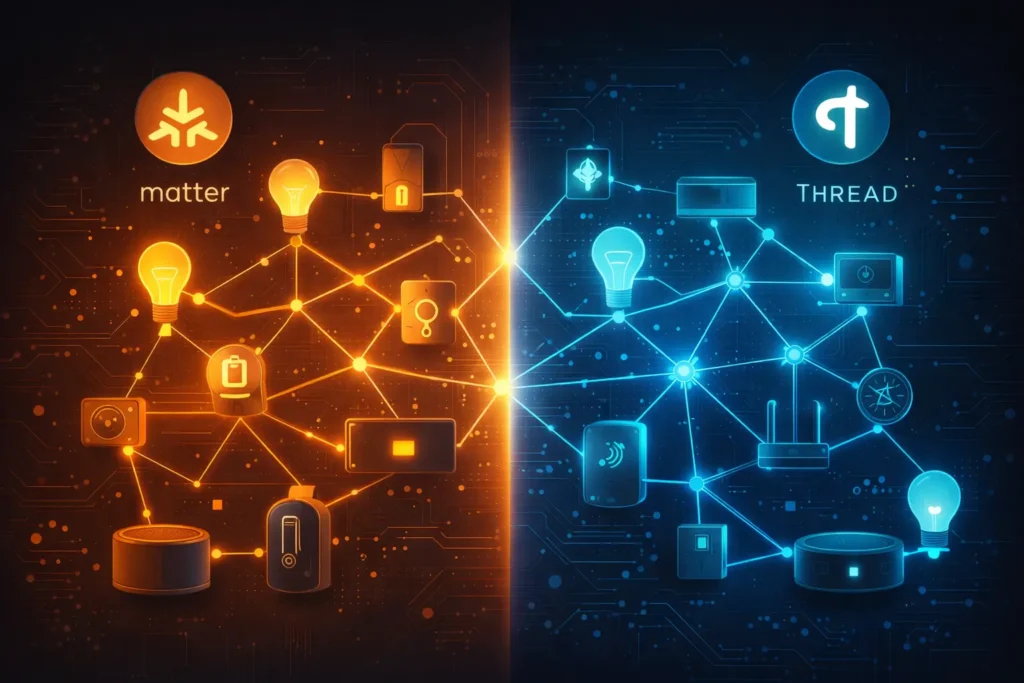
Matter operates on three networking technologies:
| Technology | What It Does | Best For |
|---|---|---|
| Wi-Fi | High-bandwidth communication | Cameras, displays, speakers |
| Thread | Low-power mesh networking | Sensors, locks, lights |
| Ethernet | Wired reliability | Hubs, bridges, routers |
Local-First Architecture
Here’s the game-changer:
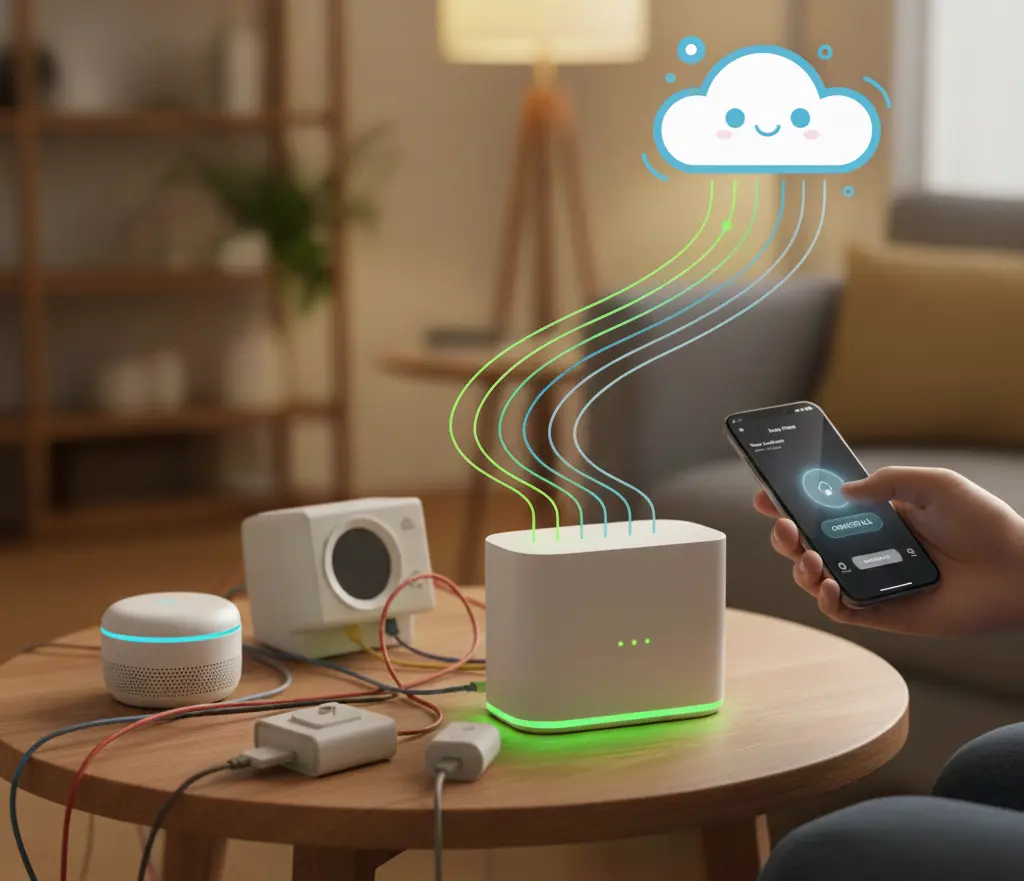
Matter devices communicate locally—not through the cloud.
What this means for you:
- Faster response times — No round-trip to distant servers
- Better privacy — Your data stays in your home
- Works offline — Internet down? Devices still function
- More secure — Fewer attack vectors for hackers
Multi-Admin Feature
This is huge.
With Matter, one device can be controlled by multiple platforms simultaneously.
Example:
Your Matter smart lock can be controlled by:
- Apple Home
- Google Home
- Amazon Alexa
- Samsung SmartThings
All at the same time. No choosing. No limitations.
Matter vs. Other Smart Home Protocols
Quick Comparison
| Feature | Matter | Zigbee | Z-Wave | Wi-Fi Only | Bluetooth |
|---|---|---|---|---|---|
| Universal Compatibility | Yes | No | No | No | No |
| Local Processing | Yes | Yes | Yes | Varies | Yes |
| Major Company Support | All | Some | Some | Varies | Limited |
| Mesh Networking | Via Thread | Yes | Yes | No | No |
| Hub Required | Optional | Yes | Yes | No | No |
| Future-Proof | Yes | Declining | Declining | Varies | No |
The Verdict
Matter isn’t replacing Zigbee and Z-Wave entirely—it actually works alongside Thread and can integrate with existing protocols through bridges.
But for new purchases, Matter is the clear choice.
Reasons to Upgrade with Matter protocol(2026)
Matter is finally mature
- Version 1.0 launched in late 2022
- Multiple updates have fixed early bugs
- Ecosystem is robust and growing
Device selection is excellent
- Thousands of Matter-certified devices available
- All major brands support it
- Prices have normalized
Thread networks are established
- Border routers are common (HomePod Mini, Nest Hub)
- Mesh networks are reliable
- Setup is simplified
Old devices are aging out
- Many pre-Matter devices losing support
- Security patches ending
- Cloud services shutting down
How to Transition to Matter protocol? (Smart Strategy)
Step 1: Audit Your Current Setup
Make a list of all your smart home devices:
- Which ones are Matter-compatible?
- Which have firmware updates for Matter?
- Which need replacement?
Step 2: Establish Your Foundation
Before buying devices, ensure you have:
A Matter controller:
- Apple HomePod Mini/Apple TV 4K
- Google Nest Hub (2nd gen+)
- Amazon Echo (4th gen+)
- SmartThings Hub
A Thread border router:
- Often built into controllers above
- Creates mesh network for Thread devices
Strong Wi-Fi infrastructure:
- Wi-Fi 6 minimum
- Wi-Fi 7 preferred
- Mesh system recommended
Step 3: Replace Strategically
Don’t replace everything at once. Prioritize:
Replace First:
- Cloud-dependent devices (highest risk)
- Devices from defunct companies
- Security devices (locks, cameras)
- Most-used devices (lights, thermostat)
Replace Later:
- Working devices with remaining support
- Rarely-used accessories
- Devices in less critical locations
Step 4: Buy Smart Going Forward
Simple rule: If it doesn’t have the Matter logo, think twice.
For every new purchase, ask:
- Does the manufacturer have a good track record?
- Is it Matter-certified?
- Does it support Thread?
Common Matter Mistakes to Avoid
Assuming all “smart” devices support Matter
Not every smart device is Matter-compatible. Always check for certification.
Forgetting about Thread
Matter works best with Thread devices. Wi-Fi-only Matter devices miss mesh benefits.
Ignoring firmware updates
Some older devices can gain Matter support through updates. Check before replacing!
Buying from unknown brands
Cheap Matter devices from obscure brands may lack long-term support.
Replacing everything at once
Transition gradually. Your wallet will thank you.
Skipping the controller setup
Matter devices need a controller. Ensure your ecosystem is ready first.
Overlooking Thread border routers
Without a border router, Thread devices can’t connect properly.
Network & Security Considerations (Expert Insight)
From a networking perspective, Matter reduces cloud dependency, but it does not eliminate the need for a strong local network. Homes with poor Wi-Fi coverage or overloaded routers will still experience delays. Especially with Wi-Fi-based Matter devices. For best performance, I recommend:
- A Wi-Fi 6 or newer router
- Dedicated 2.4 GHz IoT bands if available
- At least one Thread border router for mesh stability
On the security side, Matter’s local communication reduces exposure to cloud breaches, but firmware updates remain critical to maintaining protection.
Your Matter Upgrade Checklist for 2026
Before upgrading, confirm:
- I have a Matter-compatible controller (HomePod, Nest Hub, Echo, SmartThings)
- I have at least one Thread border router
- My Wi-Fi is upgraded to Wi-Fi 6 or better
- I’ve audited my current devices for Matter compatibility
- I’ve checked for Matter firmware updates on existing devices
- I’ve identified which devices to replace first
- I’ve set a realistic budget for gradual transition
- I’m only buying Matter-certified devices going forward
Save this checklist for your smart home journey!
The Future of Matter (What’s Coming)
Matter 2.0 and Beyond
The protocol continues evolving:
Coming soon:
- Robot vacuum support
- Enhanced camera integration
- Energy management features
- EV charger support
- Improved audio device support
- Major appliance integration
What This Means for You
The devices you buy today will gain new features through software updates. That’s the beauty of Matter—it’s designed to grow.
Frequently Asked Questions (FAQ)
Q: Do I need to replace all my existing smart home devices for Matter?
A: No! Many existing devices are receiving Matter firmware updates. Check with your manufacturer first. Only replace devices that can’t be updated and are essential to your setup.
Q: Will Matter work if my internet goes down?
A: Yes! Matter uses local communication. Your devices will continue working even without internet—you just won’t have remote access.
Q: Is Matter protocol the same as Thread?
A: No. Matter is the application protocol (the language). Thread is one of the networking technologies Matter uses (alongside Wi-Fi and Ethernet). They work together.
Q: Can I use Matter with my existing Alexa/Google/Apple setup?
A: Absolutely! Matter is designed to work with all major platforms. Your existing ecosystem becomes the controller for Matter devices.
Q: Are Matter supported devices more expensive?
A: Initially, yes. But prices have normalized significantly. The long-term savings from avoiding ecosystem lock-in and replacements outweigh the small premium.
Q: How do I know if a device is Matter-certified?
A: Look for the official Matter logo on packaging or product listings. You can also check the Connectivity Standards Alliance website for certified products.
Bottom Line
So, what is Matter in smart homes?
It’s the universal standard that finally makes smart homes actually smart.
No more app juggling. No more compatibility nightmares. No more ecosystem lock-in.
And should you upgrade in 2026?
Yes—but do it strategically.
Start with your foundation (controller, router, network). Replace high-risk devices first. And make Matter certification non-negotiable for every new purchase.
The smart home revolution is finally here. Matter makes it accessible to everyone.
Your move.
About the Author
Swapnil More is an IT professional and smart home networking enthusiast based in Canada. He focuses on smart home reliability, device security, and network-optimized automation systems through hands-on testing and real-world deployment.
![Use these strategies to boost your Home Value by $15K-$40K: ROI Guide [2026]](https://moryenetworks.com/wp-content/uploads/2025/12/How-to-increase-home-value-in-2026-1-1024x865.webp)